



zplCloud Blog
Printer Setup and Reset from an Android Phone - Over a USB Cable
! U1 setvar "device.reset" "on" - sent from the device in your pocket, no PC, no driver, no network.
The printer is never next to a computer
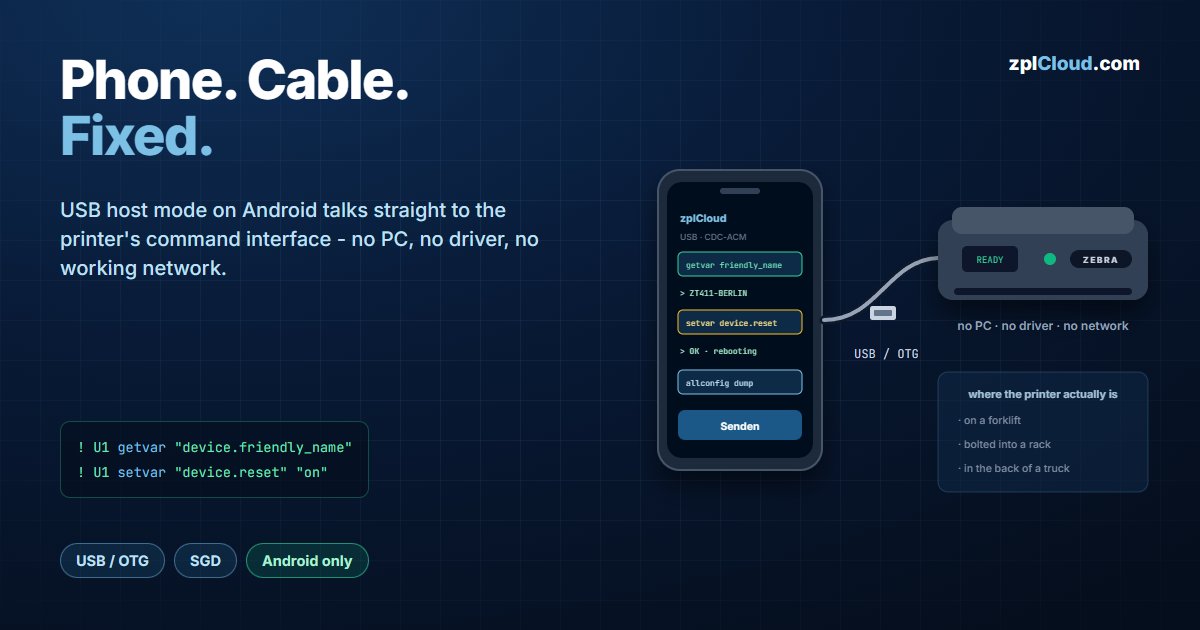
A printer in a bad state is a physical problem: garbage on the display, a darkness setting somebody moved, a Wi-Fi config that points at last year's SSID. Fixing it means standing next to the device - on a forklift, in a rack, in the back of a truck - and the only computer within reach is a phone.
The zplCloud Android app talks to the printer over a plain USB cable. No laptop, no serial adapter, no admin rights on anything, and no working network on the printer - which matters, because a broken network config is exactly what you are often there to fix.
Why this works on Android and not on iOS
Android exposes USB host mode: with an OTG cable the phone becomes the host and can claim a USB device. The app (Capacitor-based) uses that to open a channel to the printer's command interface.
iOS has no equivalent public API for claiming arbitrary USB devices. On iPhone and iPad the same jobs run over the network path - Weblink or the CLI agent. That is a platform limitation, not a roadmap item.
Two USB paths
| Mode | How it connects | When to use it |
|---|---|---|
| Zebra SDK | via the Zebra USB driver / Link-OS SDK layer | the printer presents as a standard Zebra USB device |
| Direct USB serial (CDC-ACM) | built-in driver, no Zebra components needed | the printer is in USB-CDC mode; Android asks once for USB permission |
Both end at the same place: a bidirectional channel that carries SGD and ZPL. If one path does not enumerate the device, try the other before assuming the cable or the printer is at fault.
The commands that matter
Everything below is standard SGD over the same channel - the app is a keyboard for the printer's command interface, not a proprietary protocol.
Confirm you are talking to the right device:
! U1 getvar "device.friendly_name"
If that returns the name, the channel works and everything else will too. Do this first; it separates a cable problem from a command problem.
Reset to a clean state:
! U1 setvar "device.reset" "on"
Dump the full configuration - useful before changing anything, so you can put it back:
{}{"allconfig":null}
Check what the printer thinks about its own storage before uploading fonts or graphics:
! U1 getvar "memory.flash_free"
Network and darkness variables are set the same way. The point is that nothing here is app-specific: the same strings work from the CLI (zplcloud send --usb --zpl "…") when you are back at a desk.
Setup
1. Install the zplCloud app on the Android phone or tablet.
2. Connect the printer with a USB/OTG cable and power it on.
3. Grant USB permission when Android asks, and pick the connection mode.
4. Query, set, or reset.
Practical notes
- Use a data cable. A charge-only USB cable enumerates nothing, and the symptom looks exactly like an unsupported printer.
- Read before you write.
getvarfirst,setvarsecond. A dumped config is the difference between a five-minute fix and a printer nobody can restore. - A reset is not a factory reset.
device.resetrestarts the printer; it does not erase your fonts, formats or network settings. Know which one you actually want before typing. - Take the phone to the printer, not the printer to the desk. That is the entire point - a printer bolted into a rack does not need to be unmounted to be reconfigured.